

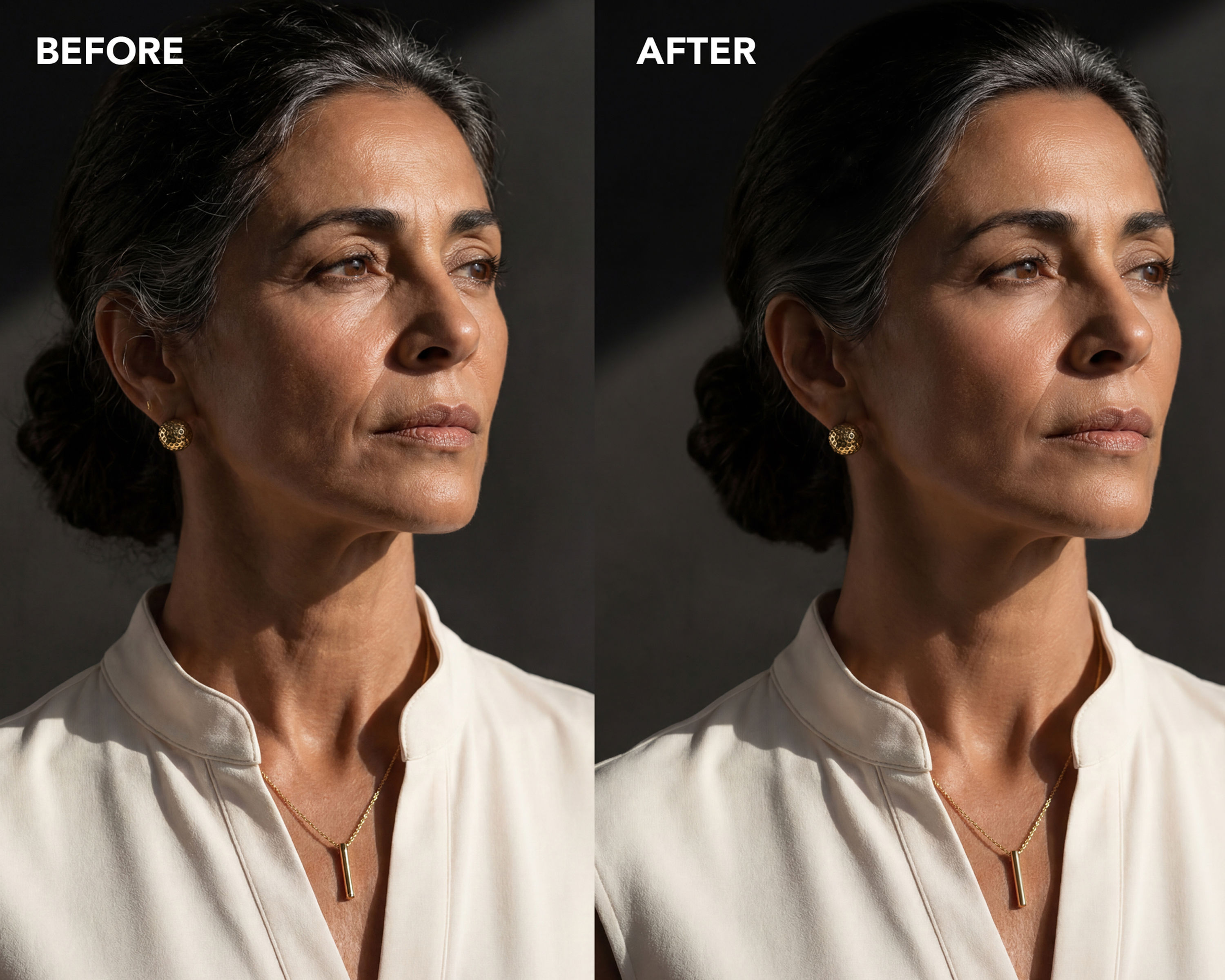
NK4354 Frequency Separation Action for Photoshop
Frequency separation splits your image into two layers: texture (pores, hair, fine detail) and color (tones, transitions, blotchiness). Fix one without touching the other — even out skin without erasing a single pore.
Here's what makes this one different: most free actions floating around ship with 8-bit math. If you edit in 16-bit, that math is wrong for your files, and the separation doesn't rebuild your image quite right. Subtle, but it's there under every edit. This action uses the correct 16-bit settings, and it comes with a test so you can verify it yourself.
What's inside:
NK4354_Frequency_Separation.atn — one-click setup, correct 16-bit math
Layers named Color and Texture, so you always know what you're working on
A pause on the Gaussian Blur so you set the right radius for each image, instead of trusting someone else's saved number
Everything auto-grouped when it finishes
Quick-start PDF: install steps, workflow, and the 60-second test to verify your separation is mathematically correct
Requirements: Adobe Photoshop (CC or CS6+), works best on 16-bit files.
Free. Costs you an email address. I'm live on TikTok every night 6–10PM ET breaking down retouching, editing, and the business of photography — come learn with me.
